
Tips against cold feet while cycling
Winter riding means cold feet? Not anymore! With our tips, you can banish freezing toes and enjoy every chilly ride.
Summer winners — even if only in the town sign sprint — are made in winter. All the more reason to set up a “pain cave” at home.
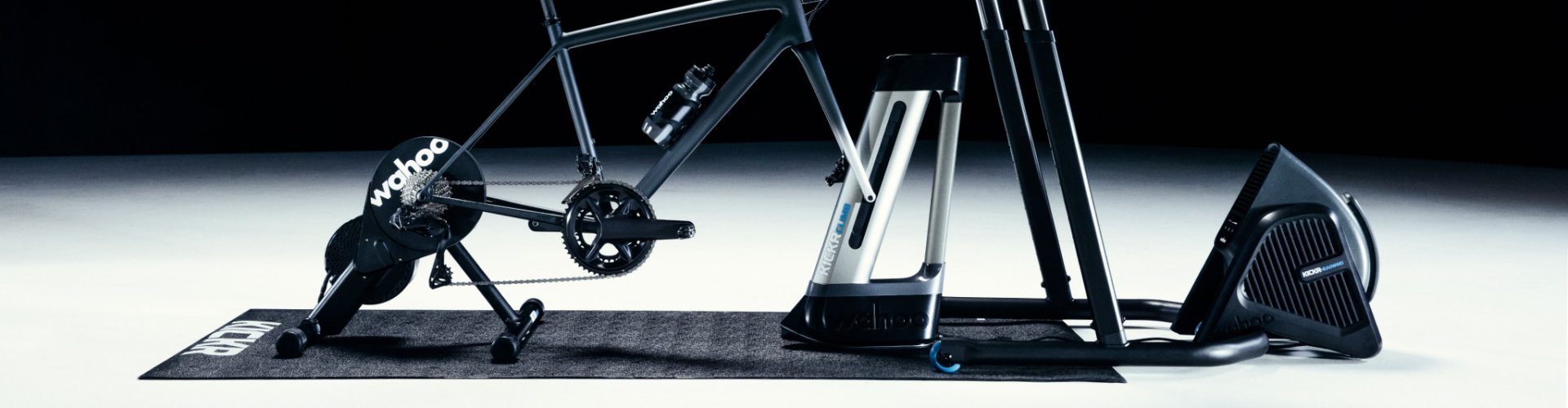
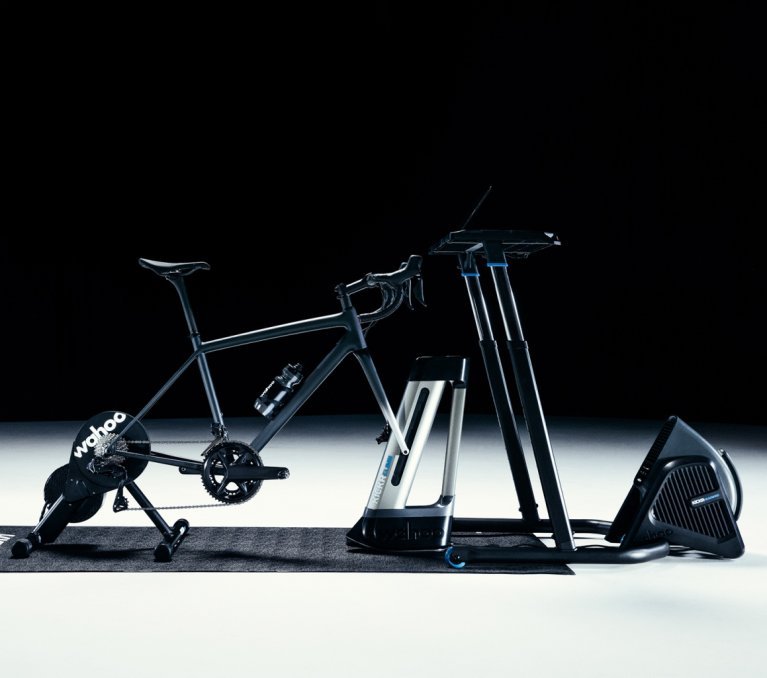
Want to get through the cold, wet season without winter weight and in good shape? Then there’s hardly a way around a smart trainer. It lets you build a training advantage for spring in the virtual world of your favourite app – without cold fingers or frozen toes. But of course, even indoors the same rule applies: a bit of suffering is necessary, otherwise there’s no training effect. The Wahoo KICKR CLIMB is designed to make training at home even more authentic and varied. Wahoo promises that the combination of smart trainer and gradient simulator brings the feeling of real mountains into your living room. That’s supposed to be good not only for motivation and fun, but also for your backside and your hands. We tested the setup for you.
If you ended up here by accident and were actually looking for an overview of different indoor trainer systems, you’ll find our indoor trainer comparison here. For more additional equipment, check out our article on indoor cycling accessories.
| What do you get? | 95% of the “full” KICKR feel (KICKR V6) at a lower price |
| Ideal for: | ambitious beginners, performance-oriented riders on a budget, Zwift hobby racers |
| Less suitable for: | pros who need calibration-free, ultra-precise power measurement (+/- 1% deviation), higher braking power (2,200 W), maximum stability |
| What’s included? | Shimano road freehub body, |
| What else do you need? | if required, the correct freehub body, a suitable cassette |
The Wahoo KICKR Core is supplied as standard with a Shimano road freehub body and without a cassette. Since my bike is equipped with a Shimano drivetrain, I only need to install a suitable cassette on the trainer. Then I remove the wheels, place the frame and fork onto the new “digital wheels” and secure everything with the appropriate axles.
In the next step, I connect all components via the Wahoo Fitness app. First, I pair the smart trainer, Headwind and the desired sensors (e.g. cadence or heart rate) with the Wahoo app. Then I connect the gradient simulator KICKR CLIMB directly to the KICKR Core.
For training in the virtual world, you need an account with a training platform of your choice. I used Zwift for this test: create an account, download the Zwift app and connect the KICKR Core to Zwift. And you’re ready to start training!
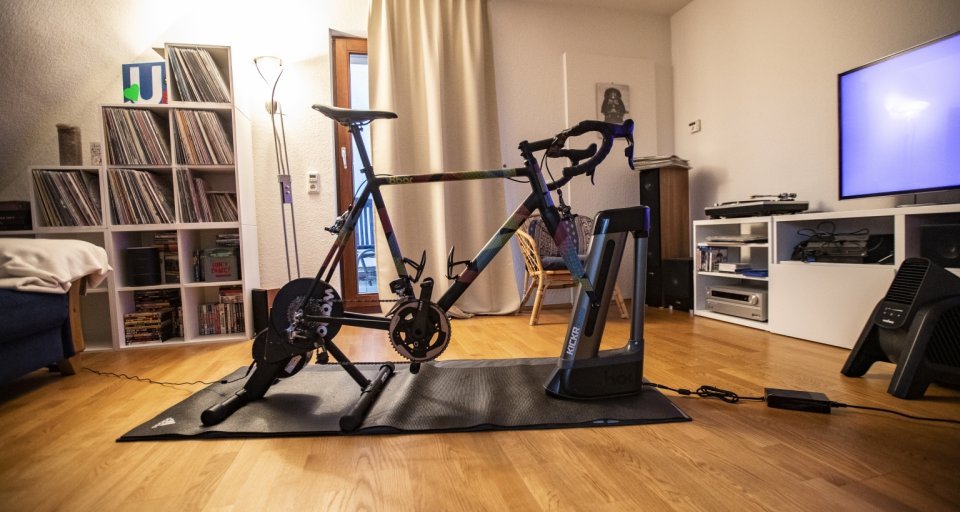
Looks less like a real bike at first glance, but feels surprisingly realistic when stationary: once the wheels are removed, the KICKR Core and Climb take over the role of rear and front wheel.
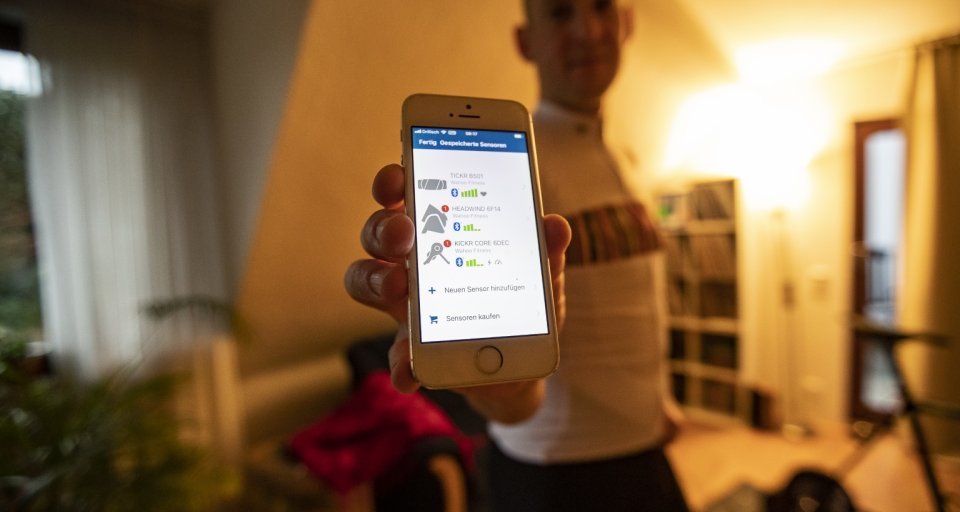
The connection of all components via the Wahoo Fitness app is pleasantly intuitive.
After getting my Zwift avatar moving with the first pedal strokes, I notice that I don’t need to turn up my music. The KICKR Core operates remarkably quietly. The few noises that do occur come almost exclusively from my bike’s drivetrain – only during powerful sprints does it get a little louder, but never to an annoying degree. To be on the safe side – and also to protect the floor from dripping sweat – my setup is placed on a damping floor mat.
The KICKR Core simulates the virtual route profile extremely well: climbs (up to 16 percent) and descents are translated precisely into changes in resistance (power measurement deviation: +/-2 percent). Even under high loads, the KICKR Core shows impressive stability. Even when I get out of the saddle and push hard, it remains absolutely solid. That gives a lot of confidence and motivates me to go all out during attacks. The maximum braking power of 1,800 watts is completely sufficient for me. In my estimation, most of us hobby riders rarely push into that range anyway.
The revised belt drive of the KICKR Core does an excellent job of transmitting power. It transfers your pedalling force precisely and reliably and does not slip. The 5.4-kilogram flywheel also contributes to the realistic ride feel. On flat and slightly downhill sections, I can simply roll along – just like outside on the road.
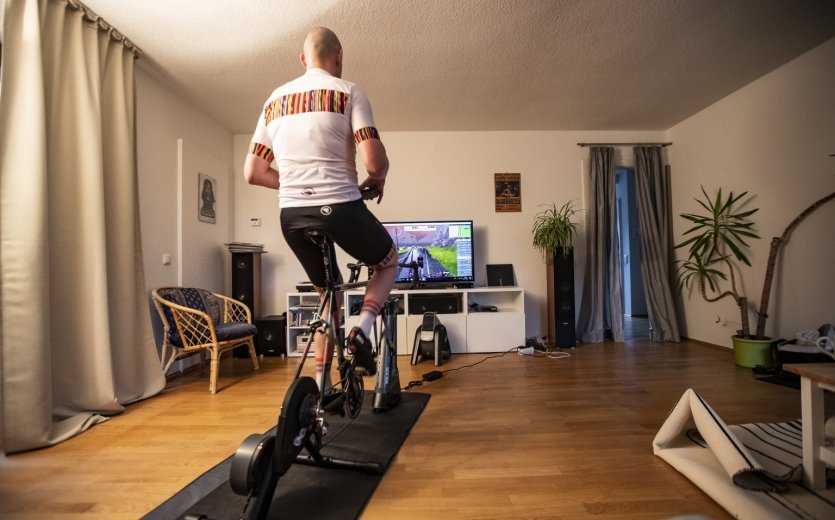
No training session without Zwift reality!
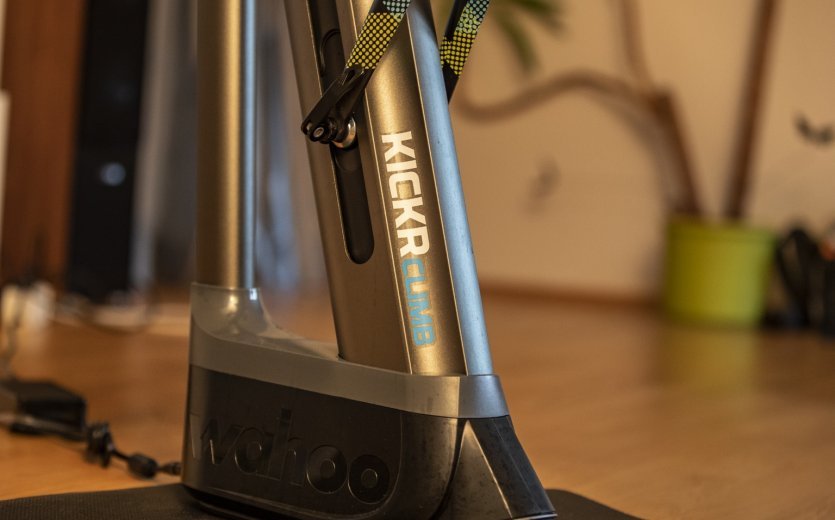
A quiet hum from the KICKR Climb, combined with increased resistance at the “rear wheel”, makes it unmistakably clear even on gentle gradients: you’re going uphill.
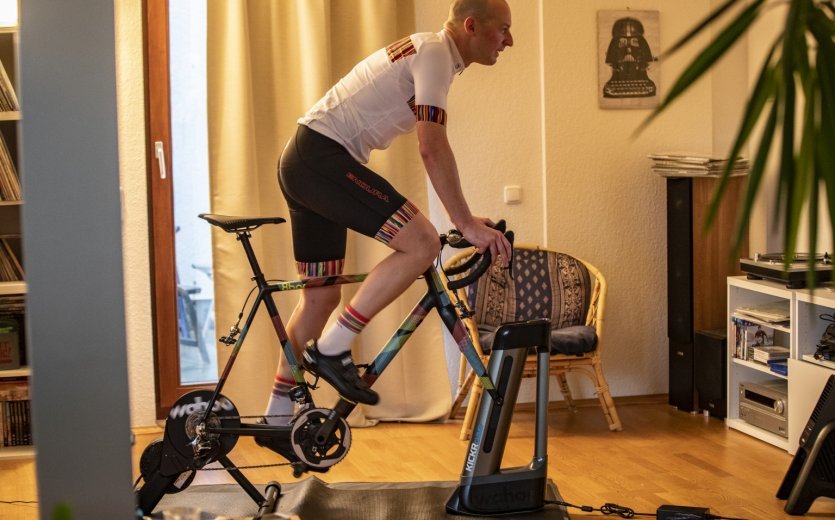
Getting out of the saddle and sprinting hard doesn’t impress the KICKR Core & Climb in terms of stability at all — not even a little!
In the hilly terrain of Zwift, RGT or other training platforms, the Wahoo setup really shows its strengths: as soon as the virtual road starts to rise even slightly, the Climb begins to hum. The front axle of my bike lifts gently, and a grin – or at least a smile – stays on my face for the rest of the ride.
The KICKR Climb adjusts gradients precisely between -10 and +20 percent. On longer climbs (such as Alpe du Zwift with consistently double-digit gradients), the raised front end even encouraged me to ride out of the saddle. And despite the increased load on the handlebars, the Climb operates surprisingly quietly, smoothly and without jerks. Because the rear wheel is fixed, the movement feels a bit stiffer than on the road and most of the motion happens in the hips. But honestly: that’s complaining at a very high level. The setup is excellent!
Because the bike’s angles are constantly changing, the pressure points on my sit bones also vary. Even during longer indoor sessions, the typical problems of monotonous saddle pressure don’t occur. My hands and core muscles also appreciated the variety.
For structured training sessions (where the trainer specifies fixed power targets), the Climb is locked in its factory setting so that the rider’s focus remains on hitting the required power rather than on the course profile. More advanced athletes can disable this lock if they wish. If you plan to use the KICKR Core mainly or even exclusively for structured training, I recommend getting a separate cadence sensor. This is not included with the trainer.
By the way, the KICKR Climb is not only compatible with the KICKR Core, but with (almost) all Wahoo trainers from 2017 onwards.
Wahoo’s “pain cave” setup is completed by the Headwind. It blows cooling air towards me while I ride. This can be set to a constant fan speed or dynamically adjusted via the app based on heart rate or in-game speed to simulate real riding wind. This latter mode forms the third building block of an impressively realistic riding experience. The noise level of the Headwind is pleasantly unobtrusive, by the way: only when the fan is running at full blast, hitting your head and upper body with maximum airflow, can you really hear that the Headwind has to work to deliver that level of cooling.
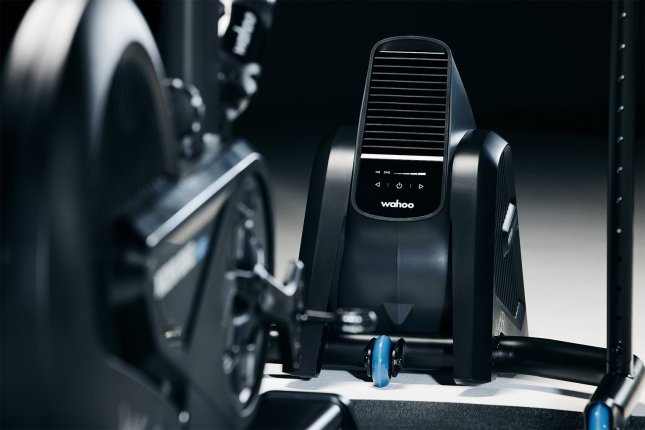
The KICKR Headwind completes the setup. © Wahoo
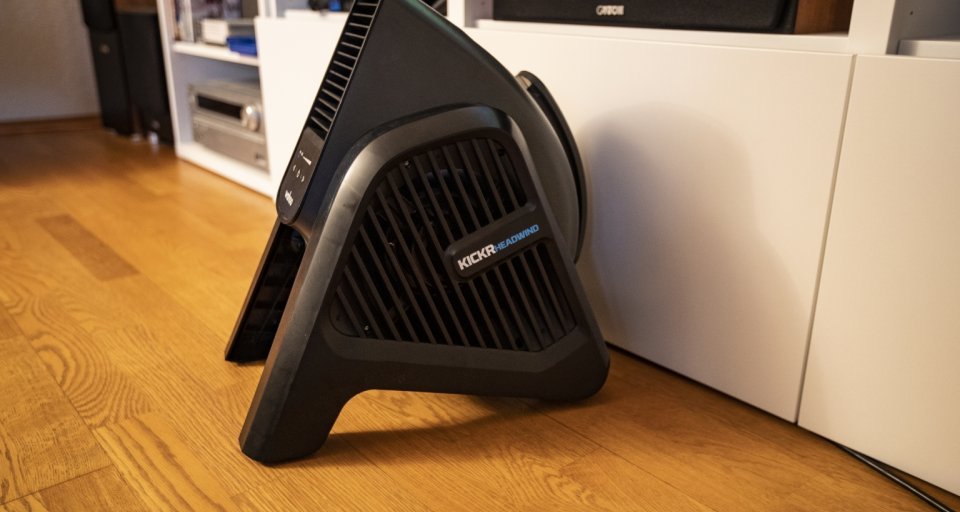
The KICKR Headwind completes the setup.
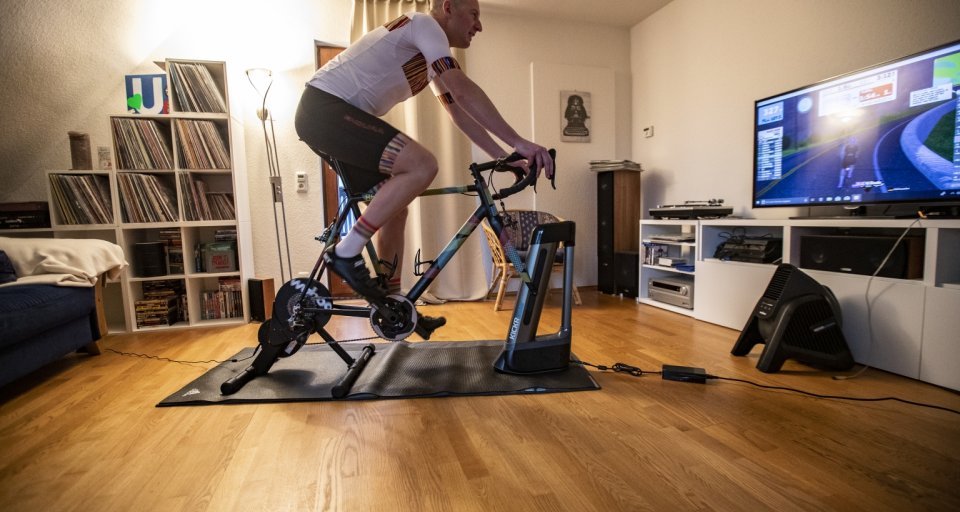
With this setup, nothing stands in the way of building your personal pain cave in the living room, guest room or home office — except your own motivation.
The smart KICKR Headwind fan perfectly rounds off the interaction between the KICKR Core and the KICKR Climb. The system is not only innovative, it also impressed me with the user-friendly Wahoo app and the intuitive operation of the devices. This makes it quick and easy to set up your own personal “pain cave” without much effort.
Wahoo’s concept of creating a complete training setup with two additional simulation layers really works: the powerful KICKR Core reaches its full potential when paired with the KICKR Climb and delivers an extremely realistic training experience. Once you’ve tried the complete Wahoo system, you won’t want to do without it again.
By the way, there is now an updated version of the KICKR Core: the KICKR Core 2. The biggest difference compared to its predecessor is the additional Wi-Fi connectivity. According to the manufacturer, this ensures a more stable and faster connection, which you’ll particularly notice during sprints, climbs or virtual races. Sensors such as heart rate or cadence sensors can be connected directly to the smart trainer thanks to the so-called KICKR Bridge. In addition, the feet have received a small update to allow for easier setup and a more stable stance. LED lights on the trainer provide a quick overview of the current operating status. Depending on the version, the KICKR Core 2 is delivered either with an eleven-speed cassette or with a Zwift Cog and Click for virtual shifting.
Winter riding means cold feet? Not anymore! With our tips, you can banish freezing toes and enjoy every chilly ride.
Cycling through autumn and winter: motivation, gear and safety tips. We’ll show you how to get yourself and your bike ready for the cold season.

What types of indoor trainers are out there, and which one suits you best? We give you an overview and present the best models on the market.
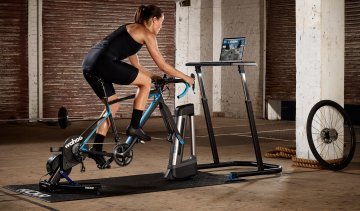
With the right accessories, your indoor training becomes even more realistic, comfortable and motivating. Find out here how to take it to the next level!
When cycling in the dark, highly visible clothing and accessories are essential. Find out how to properly equip yourself and your bike here.

With the right bike light, you’ll ride safely and legally through the dark. Here’s everything you need to know.
We'll explain what matters when choosing the ideal cycling gloves for the cold season.
The KICKR Core is delivered without a cassette and with a Shimano road freehub body. Depending on your bike’s drivetrain, you may need not only the correct cassette but also a different freehub body.
If you have paired your KICKR Climb with a compatible smart trainer and training app, it will automatically simulate every climb. You can also disable the automatic gradient simulation if you prefer.
The KICKR Core is quite quiet; most of the noise comes from your bike’s drivetrain. Make sure your drivetrain is always clean and well lubricated. We also recommend using a damping floor mat to reduce resonance at higher speeds.
You should lubricate your chain regularly and check that all bolts on your bike are tightened to the correct torque. In addition, we recommend keeping the firmware of your Wahoo devices up to date.
Yes, you should calibrate your KICKR Core regularly. Wahoo recommends performing a calibration (so-called spindown) every two to four weeks or after changing locations. Follow the instructions in the Wahoo Fitness app.
Send your unused goods back within 100 days after purchase and get your money back!
See more